Leave Management Software
Replace Excel trackers and email approval chains with auto-allocation, approval routing mapped to your reporting hierarchy, leave balance tracking, holiday calendars, and carry forward rules, all for distributed teams.
✨ See what AI actually does →| User | Leave Type | Dates | Days | Status |
|---|---|---|---|---|
| Rohit Mehta | Casual Leave | 15–17 Jan | 3 | Pending |
| R. Kapoor | Earned Leave | 20–22 Jan | 3 | Approved |
| S. Iyer | Sick Leave | 18 Jan | 1 | Approved |
Admin defines leave types with paid or unpaid status and carry forward rules, available instantly for employee selection in the mobile app.
| Leave Type | Code | Paid / Unpaid | Carry Forward | Max Carry Limit |
|---|---|---|---|---|
| Casual Leave | CL | Paid | No | — |
| Earned Leave | EL | Paid | Yes | 12 |
| Sick Leave | SL | Paid | No | — |
| Comp Off | CO | Paid | Yes | 5 |
| Maternity/Paternity Leave | ML/PL | Paid | No | — |
| Loss of Pay | LOP | Unpaid | No | — |
Bulk-uploaded opening balances, updated in real time after every approved or rejected leave application.
| Employee Code | Employee | Leave Type | Opening | Used | Available |
|---|---|---|---|---|---|
| EMP-1042 | Rohit Mehta | Casual Leave | 10 | 2 | 8 |
| EMP-1042 | Rohit Mehta | Earned Leave | 15 | 3 | 12 |
| EMP-1058 | R. Kapoor | Casual Leave | 10 | 5 | 5 |
| EMP-1071 | S. Iyer | Sick Leave | 8 | 1 | 7 |
Leave requests route automatically based on the reporting hierarchy read from User Management.
| Leave Type | Approval Levels | Routed To | Escalation Rule |
|---|---|---|---|
| Casual Leave | 1-Level | Immediate Reporting Head | — |
| Earned Leave | 1-Level | Immediate Reporting Head | >5 days → Manager |
| Maternity/Paternity Leave | 2-Level | Team Leader → Manager | — |
| Sick Leave | 1-Level | Immediate Reporting Head | Auto-approved if <1 day |
Company and region-wise holidays, visible to every employee in the mobile app calendar.
| Holiday Date | Holiday Name | Region |
|---|---|---|
| 26 Jan | Republic Day | All India |
| 1 May | Maharashtra Day | Mumbai |
| 15 Aug | Independence Day | All India |
| 2 Oct | Gandhi Jayanti | All India |
At configured year-end, unused earned leave carries forward automatically up to the configured limit per leave type.
| Employee | Leave Type | Balance (31 Dec) | Carried Forward | Lapsed |
|---|---|---|---|---|
| Rohit Mehta | Earned Leave | 15 | 12 | 3 |
| R. Kapoor | Earned Leave | 9 | 9 | 0 |
| S. Iyer | Earned Leave | 14 | 12 | 2 |
Leave balance, allocation, and carry forward reports export to Excel/CSV for payroll processing.
| Report | Filters | Action |
|---|---|---|
| Leave Balance Report | Employee, Leave Type | Export |
| Monthly Allocation Report | Date, Leave Type | Export |
| Carry Forward Summary | Year, Leave Type | Export |








Leave Data, Mapped as One Continuous Flow
From leave type setup to a reconciled payroll report, every approval stays tied to your reporting hierarchy.
Leave Type & Balance Setup
Bulk or one-by-oneAuto-Allocation
Monthly, configurableEmployee Application
Mobile, real-time balanceHierarchy-Based Approval
Single or multi-levelCarry Forward & Reports
Payroll-ready exportsReal Apps, Real Reviews
Available on Google Play and the App Store: live listings, not screenshots.

1Channel



1Channel CRM

1Channel DMS

1View
Built for How Leave Actually Gets Approved
Key features & benefits: drag or use the arrows to see all 12.
Leave Type Configuration
Custom leave types (Casual, Earned, Sick, Comp Off, Maternity/Paternity, LOP) with paid or unpaid status and carry forward rules per type.
Leave Balance Upload & Tracking
Bulk upload opening balances via Excel. Used vs available tracked in real time after every approval or rejection.
Auto-Allocation Engine
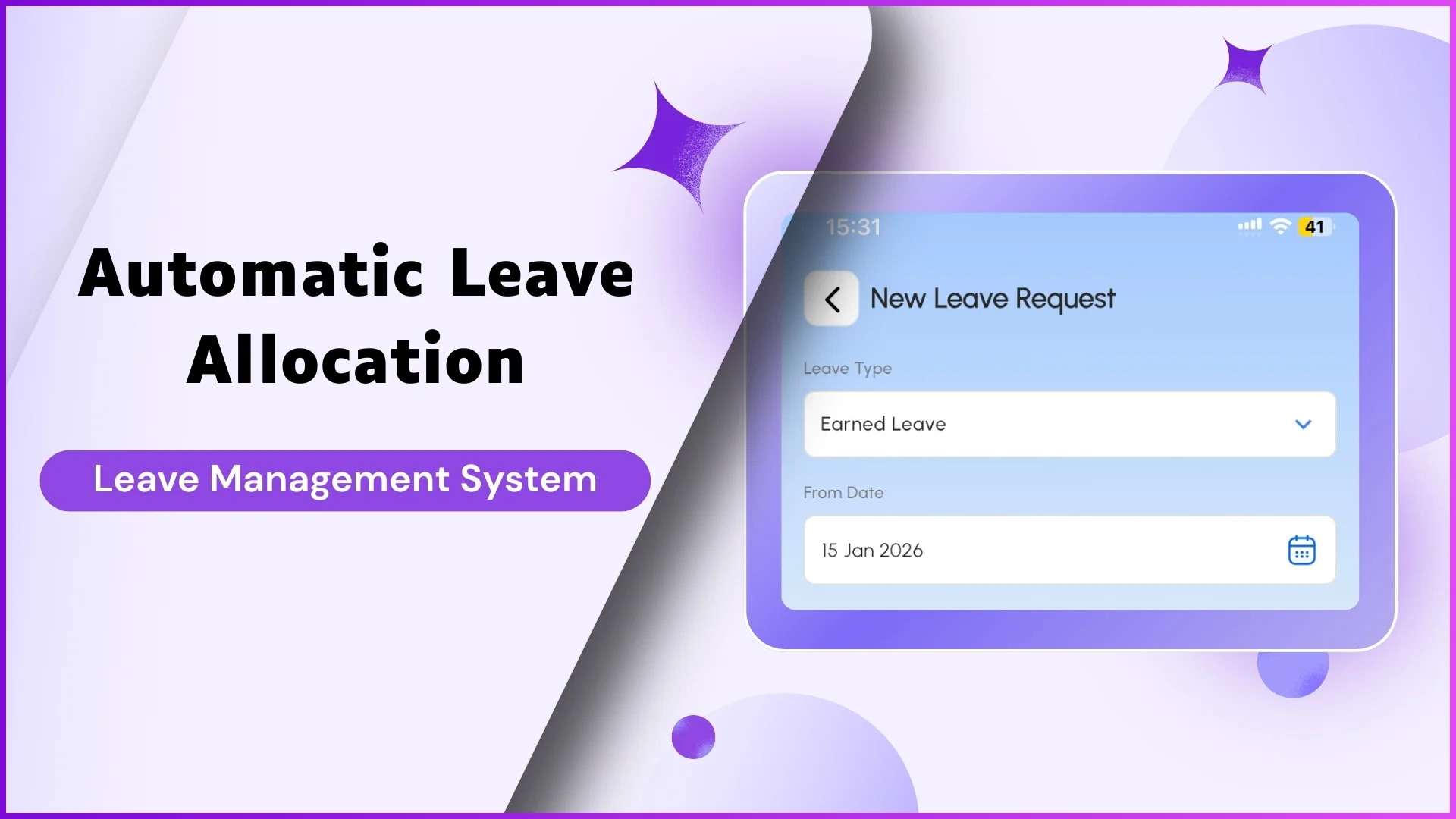
Auto-credits leaves on a configured day each month. Pro-rata allocation for new joiners based on joining date.
Approval Policy Configuration
Single or multi-level approval mapped to reporting hierarchy, with duration-based escalation and leave-type-specific rules.
Employee Mobile App
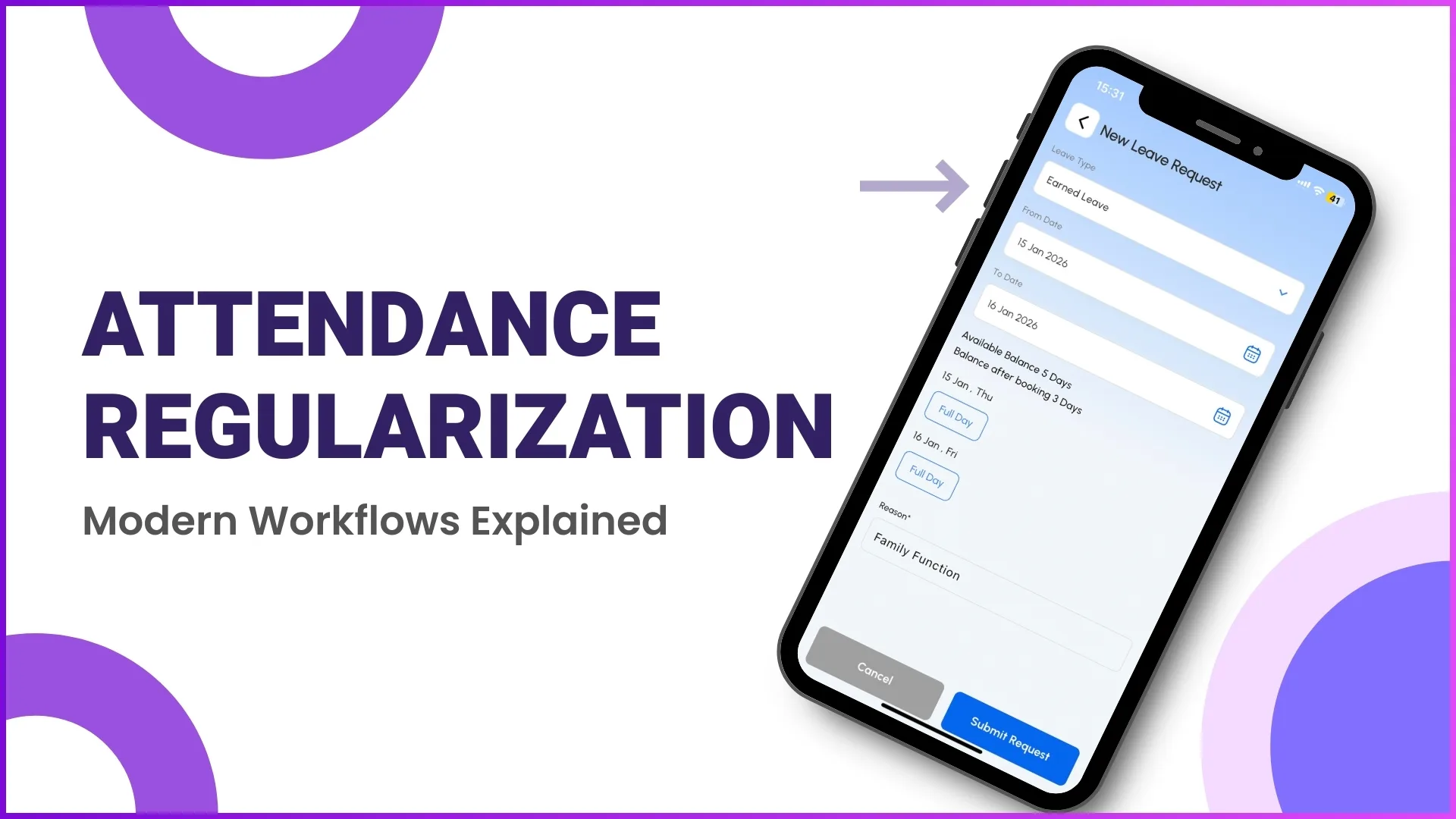
Apply for leave with From Date, To Date, leave type, and reason. Live balance visible before applying.
Manager Approval Dashboard
Reporting heads see pending requests with employee, type, duration, and reason. One-click approve or reject.
Holiday Calendar Management
Company holidays visible to all employees in the mobile app, with region-wise calendars for multi-location teams.
Carry Forward Automation
Auto-carries forward unused leave at year-end with configurable limits per leave type. Optional encashment for excess.
Leave Balance Reports
Excel/CSV reports showing opening balance, used leaves, and available balance, filterable by team, territory, or leave type.
Payroll Integration Ready
Leave data syncs with attendance closure for payroll, with paid vs unpaid leave breakdown by employee.
Mobile App for Field Teams
Dedicated Android and iOS apps for applying, checking balance, and tracking approval status from anywhere.
Enterprise-Grade Scalability
200,000+ users across 40+ countries, with complete onboarding, training, and ongoing support.
Where AI Actually Touches Your Leave Data, Not Where We Wish It Did
We'd rather show exactly what the AI does than oversell it. Here's what's real today, inside AI Assistant and Attendance & Time Tracking:
- 💬AI Assistant, conversational leave queriesType or browse: "Show my leave balance", "How many pending approvals do I have?" Available on web and mobile.
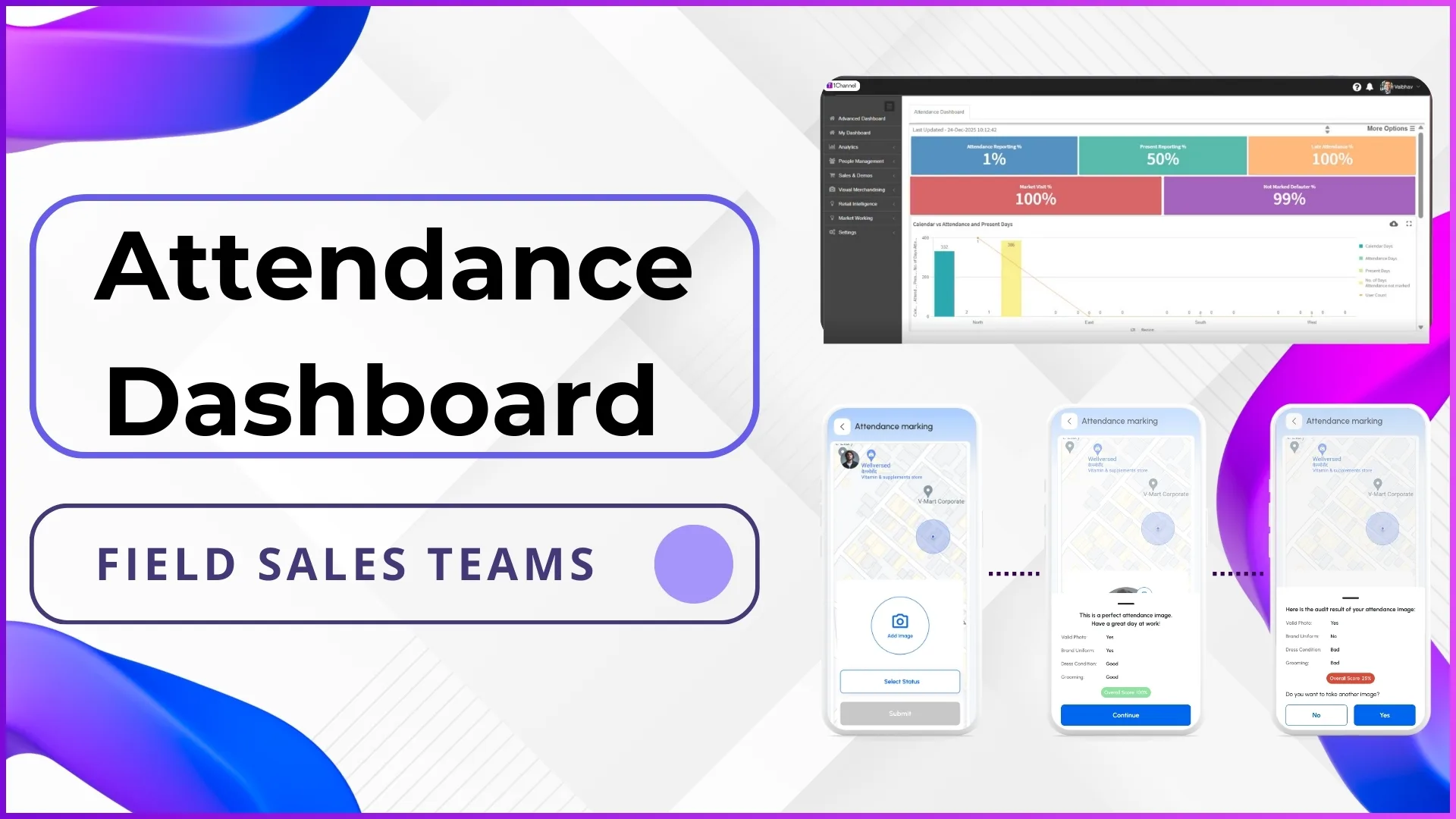
- 🤳AI-validated attendance keeps leave data accurateFirst login photo becomes the reference; every check-in is matched against it, so present/absent status (and the no-show days that affect leave records) stays accurate without manual reconciliation.
- ⚙️Rule-based approval routingLeave requests route automatically through the reporting hierarchy, with configurable auto-approval and escalation rules, not predictive guesswork.
Leave Management Insights, Straight from the Field
Go Deeper Into Every Module
How leave data actually moves through the system, from type setup to a reconciled payroll report. It connects directly to attendance, HR management, and workforce management.
Leave Type & Balance Setup
Admin creates custom leave types based on company policy, defining whether each is paid or unpaid and whether it carries forward, with a configurable maximum carry forward limit. Opening leave balances for all employees are bulk-uploaded via Excel, with the system validating employee codes and leave types before import.
How It Works
- Admin creates leave type with name, paid/unpaid status, and carry forward rule
- Download Excel template with Employee Code, Leave Type, Opening Balance columns
- Fill and upload employee leave balances in one bulk upload
- Leave types become available in the mobile app for employee selection
Why It Matters
- Single source of truth for every employee's opening leave position
- No manual Excel errors once balances are validated and uploaded
- Policy-driven configuration per leave type, not one blanket rule
| Leave Type | Paid/Unpaid | Carry Forward |
|---|---|---|
| Earned Leave | Paid | Yes · 12 |
| Casual Leave | Paid | No |
Click a row: these are the real Leave Type configuration fields, not placeholders.
Approval Workflow & Mobile Application
Approval policies read the organization's reporting hierarchy directly from User Management, so a leave request from an employee automatically routes to their reporting head without manual assignment. Employees apply from the mobile app with leave type, dates, and reason; managers see every pending request in the portal with employee, duration, and reason, and approve or reject with one click.
Approval Configurations
- Single-level approval: request goes only to the immediate reporting head
- Multi-level approval: required for leave types like Maternity/Paternity
- Duration-based escalation: leaves over 5 days require manager approval
Mobile Application
- Employee sees current balance before selecting a leave type
- From Date and To Date picker, with automatic day-count calculation
- Real-time push notification on approval or rejection
| User | Leave Type | Dates | Action |
|---|---|---|---|
| Rohit Mehta | Casual Leave | 15–17 Jan | Pending |
| R. Kapoor | Earned Leave | 20–22 Jan | Approved |
Click a row: this is the real Approve Leaves screen managers use from the portal.
Holiday Calendar & Carry Forward Automation
Admin uploads company holidays, visible to all employees in the mobile app calendar so applications can be planned around official holidays, with region-wise calendars for multi-location and multi-state teams. At year-end, the system runs carry forward automatically: unused earned leave rolls over up to the configured maximum, with any excess lapsing or getting encashed as per policy.
Holiday Calendar
- National holidays visible to all employees across every region
- Regional holidays specific to a state or city, filtered on upload
- Selected leave dates show any holidays falling in range
Carry Forward Rules
- Configurable maximum carry forward limit per leave type
- Carried-forward leaves can expire after 6 months or stay valid the full year
- Pro-rata carry forward for employees who joined mid-year
| Employee | Balance (31 Dec) | Carried Forward |
|---|---|---|
| Rohit Mehta | 15 | 12 |
| R. Kapoor | 9 | 9 |
Click a row: carry forward runs automatically against the configured limit, not a manual year-end task.
Loved by Customers, Recognized by the Industry
"With 1Channel, we've achieved 100% digitisation in sales team movement, order management, and inventory visibility, transforming the way we operate. The most beautiful thing about 1Channel is its ability to be completely customised to meet our organisation's unique requirements."

"1Channel is one of the best CRM software for field teams. It helps us collect data from over 100 field salespeople across the Gulf region and send instant analytical reports. When we walk into the office in the morning, the automatic sales reports are already waiting in our mailbox."

"Thanks to 1Channel SFA tool, we have managed to automate our manual sales process across Asia and Australia into a mobility-based solution, with details of every account over the cloud. Key account managers can see results, any time, across the region."

"1Channel SFA tool has made a huge impact on our sales reports, making it easy to track number of customer visits with realistic numbers. The support has been excellent. I am glad to be working with the right partner who understands our requirements."

"Before 1Channel CRM software, we evaluated many sales CRM apps and choose them over the others for the innumerable configuration options that meet our business requirements. It is now very easy for us to manage field sales operations in a simple click."

Our recognitions constantly motivate us to push the envelope of excellence and empower our customers with winning ideas each day.










Who Uses Leave Management Software?
Leave management for 25,000+ distributed promoters with auto-allocation and reporting hierarchy approvals.
Multi-store leave tracking across 5,000+ outlets with region-wise holiday calendars.
Shift-based leave management with carry forward automation for factory workers.
Territory-wise leave approvals integrated with attendance closure for payroll.
Medical staff leave management with Maternity/Paternity leave workflows and balance tracking.
Automated leave allocation, carry forward rules, and multi-level approval workflows for engineering teams.
Leave management for shift workers with auto-allocation and real-time balance tracking.
Leave tracking for warehouse staff and delivery teams with bulk Excel uploads and downloads.
Pricing
We understand that every organization has unique leave management requirements. Our Leave Management Software offers flexible pricing based on your selected features, user count, and deployment model. No hidden charges, you only pay for what you need.
Every plan includes secure cloud hosting, mobile apps for Android & iOS, and complete training & support at no additional cost.
Frequently Asked Questions
What Is Leave Management Software?▾
Why Is It Essential for Distributed Teams?▾
Can We Customize Leave Types?▾
How Does Auto-Allocation Work?▾
How Does Carry Forward Work?▾
Can Employees See Their Leave Balance?▾
How Long Is Implementation?▾
Other 1Channel Solutions for Sales Teams
Leave doesn't work in isolation, here's what it connects to.