HR Management Software for Complete HR Policy Control
Stay ahead of policy drift and manual HR paperwork: leave policy configuration, attendance rules, expense heads, approval workflows, organization hierarchy, and employee data, all from one control system.
✨ See what AI actually does →| Request ID | Employee | Type | Status |
|---|---|---|---|
| REQ-3301 | Vikram Rao | Leave · Casual | Pending |
| REQ-3302 | Rahul Verma | Expense · Travel | Approved |
| REQ-3303 | Neha Singh | Leave · Sick | Rejected |
Define leave types, expense heads, attendance rules, and approval thresholds once. Policies apply automatically to every employee.
| Policy | Type | Rule | Status |
|---|---|---|---|
| Casual Leave | Leave | 1.5 days/month auto-allocation | Active |
| Travel Expense | Expense | Max ₹500/day, receipt required | Active |
| Late Arrival | Attendance | After 9:30 AM marked late | Active |
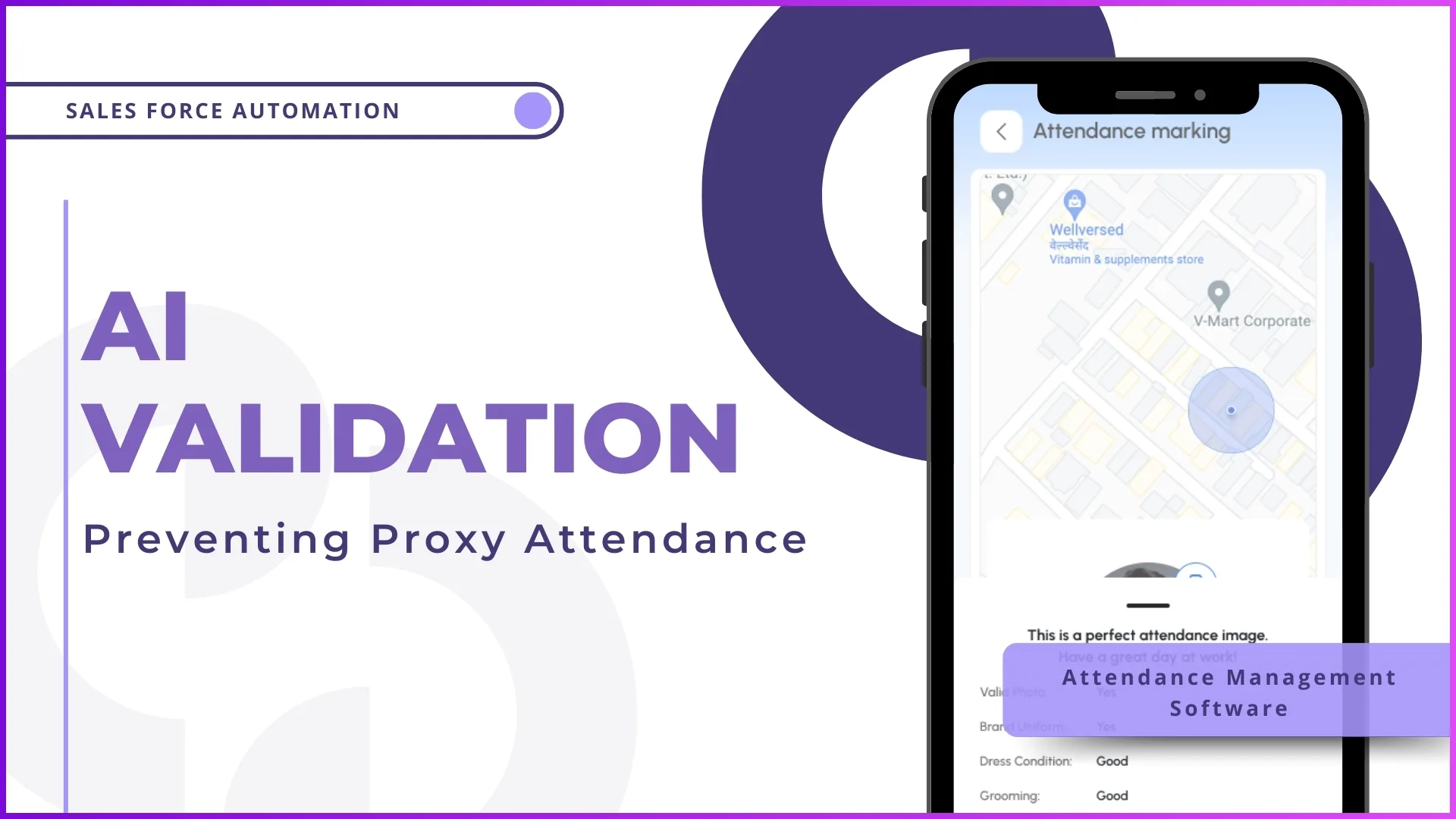
Selfie and GPS location captured at punch-in. AI face match and geofence check run before the record is saved.
| Date | Employee | Status | Marked Via |
|---|---|---|---|
| 06 Oct | Vikram Rao | Present | Selfie + GPS |
| 06 Oct | Rahul Verma | Late | Selfie + GPS |
| 06 Oct | Neha Singh | On Leave | N/A |
Leave balance updates in real time after every approved or rejected application.
| Employee | Leave Type | Dates | Status |
|---|---|---|---|
| Vikram Rao | Casual | 10-12 Oct | Pending |
| Rahul Verma | Earned | 15 Oct | Approved |
| Neha Singh | Sick | 6 Oct | Approved |
Claims route automatically to the reporting head based on organization hierarchy.
| Claim ID | Employee | Category | Amount | Status |
|---|---|---|---|---|
| EXP-7710 | Vikram Rao | Travel | ₹2,400 | Pending Approval |
| EXP-7711 | Rahul Verma | Food | ₹480 | Approved |
| EXP-7712 | Neha Singh | Accommodation | ₹2,950 | Approved |
Reporting structure drives approval routing for leave, expenses, and beat plans automatically.
| Employee | Role | Reports To | Territory |
|---|---|---|---|
| Amit Kapoor | Regional Manager | N/A | North Zone |
| Priya Nair | Area Manager | Amit Kapoor | Delhi NCR |
| Ravi Shankar | Team Leader | Priya Nair | Delhi NCR |
| Vikram Rao | Promoter | Ravi Shankar | Delhi NCR |
Region-wise holidays become visible to all employees in the mobile app calendar.
| Date | Holiday | Region |
|---|---|---|
| 26 Jan 2026 | Republic Day | All India |
| 1 May 2026 | Maharashtra Day | Mumbai |
| 25 Dec 2026 | Christmas | All India |
Pre-built reports across attendance, leave, expense, and payroll readiness. Export to Excel anytime.
| Report | Filters | Action |
|---|---|---|
| Monthly Attendance Report | Date, Employee, Region | Export |
| Leave Balance Report | Employee, Leave Type | Export |
| Expense Reimbursement Report | Date, Category, Status | Export |








HR Policy, Mapped as One Continuous Flow
From policy configuration to a payroll-ready close, every stage stays connected and visible.
Policy Configuration
Leave, expense & attendance rulesOrganization Setup
Roles & reporting hierarchyGPS Attendance & AI Validation
Selfie + geofence, verifiedLeave & Expense Approvals
Routed by hierarchyPayroll-Ready Reports
Attendance, leave & expense syncReal Apps, Real Reviews
Available on Google Play and the App Store: live listings, not screenshots.

1Channel



1Channel CRM

1Channel DMS

1View
Built for How HR Policy Actually Gets Enforced
Key features & benefits: drag or use the arrows to see all 12.
Leave Policy Configuration
Define leave types with monthly auto-allocation, carry-forward rules, and paid/unpaid settings that apply to every employee automatically.
Expense Head Setup
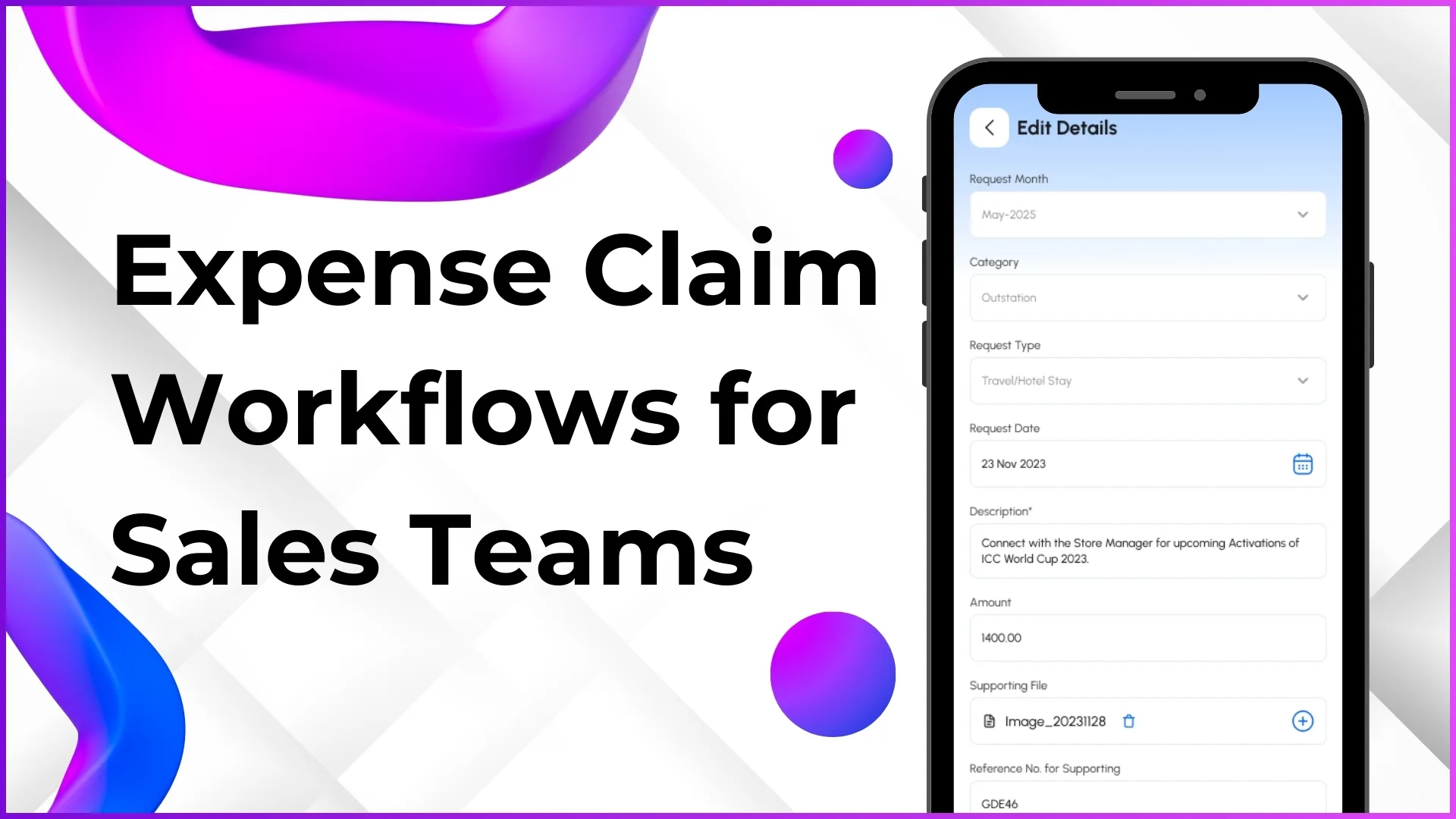
Create expense categories with reimbursement limits, approval thresholds, and claim validity periods.
Attendance Rules & Closure
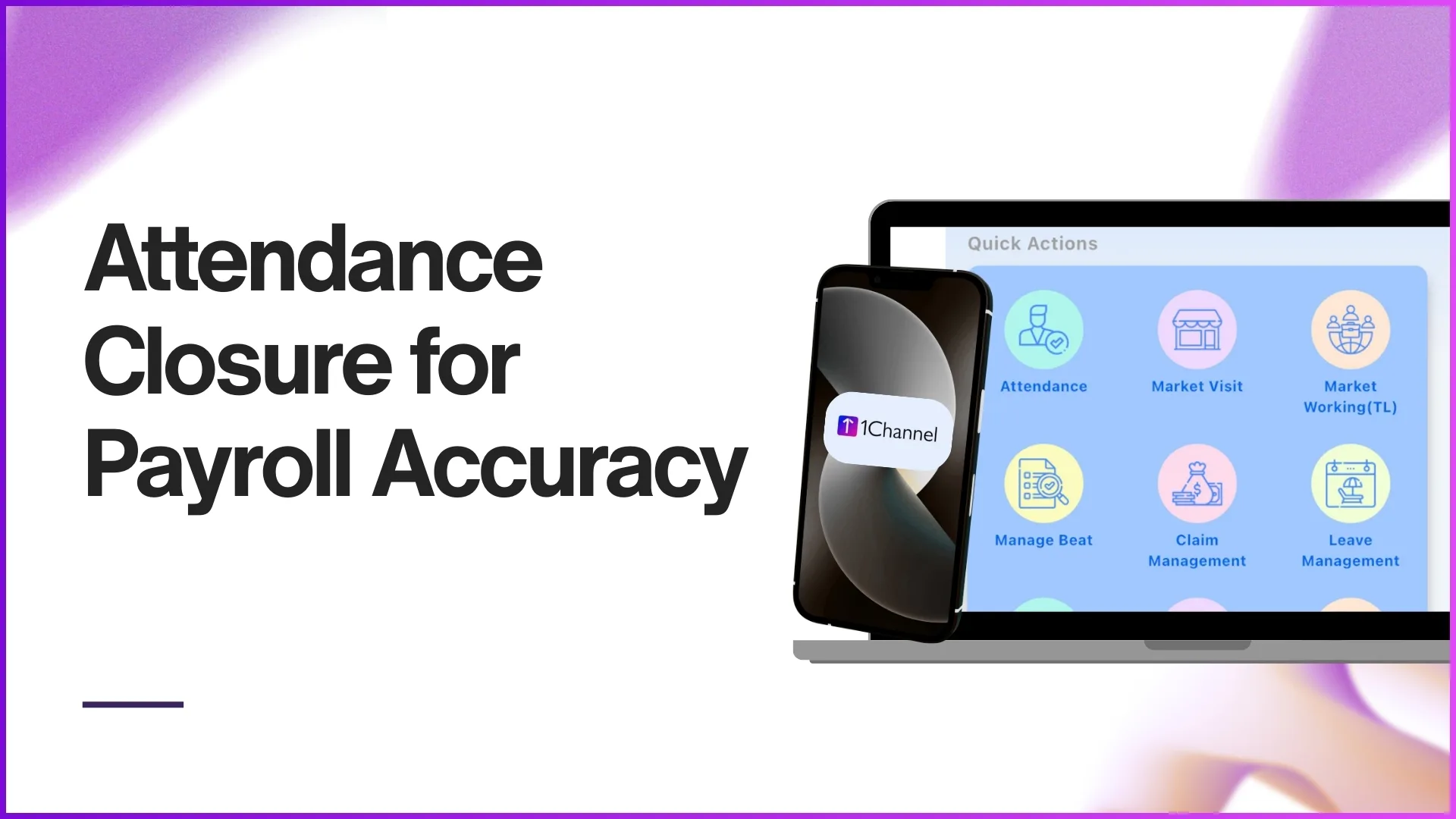
Configure statuses, work hours, late thresholds, and geofence radius; monthly closure syncs directly with payroll.
Organization Hierarchy Setup
Build a visual org chart with reporting structure that auto-drives leave, expense, and beat plan approvals.
Holiday Calendar Management
Upload national and region-wise holidays, visible to every employee and blocked automatically from leave applications.
Employee Data Management
Upload employee master data via Excel, assign codes, map locations and territories, and maintain full profiles centrally.
Approval Workflow Configuration
Multi-level approval policies based on reporting hierarchy, with configurable auto-approval and escalation rules.
GPS Attendance Tracking
Selfie and GPS punch-in with AI face recognition in about 2 seconds; dashboard shows status by employee, team, and region.
Beat Plan & Workforce Planning
Field employees plan daily or weekly routes; managers approve and track execution against the plan via GPS.
HR Analytics & Reports
Real-time attendance, leave, and expense dashboards with Excel exports filtered by employee, team, region, or date.
Payroll Integration Ready
Attendance closure, leave deductions, and expense reimbursements sync for accurate salary calculation.
Enterprise-Grade Scalability
200,000+ users across 40+ countries, with complete onboarding, training, and ongoing support.
Where AI Actually Touches Your Workforce, Not Where We Wish It Did
We'd rather show exactly what the AI does than oversell it. Here's what's real today, inside Attendance & Time Tracking:
- 🤳AI Face Recognition for AttendanceEvery selfie punch-in is matched against the registered employee photo in about 2 seconds, blocking proxy attendance before it's recorded.
- 📍GPS Geofencing ValidationAttendance is only accepted inside the configured work-location radius, flagging out-of-geofence attempts automatically.
- ⚙️Rule-Based Approval RoutingLeave and expense requests route through the reporting hierarchy automatically, with configurable auto-approval and escalation, not predictive guesswork.
HR & Workforce Management Insights, Straight from the Field
Go Deeper Into Every Module
How HR policy actually moves through the system, from configuration to a closed payroll cycle. It connects directly to attendance tracking, leave management, expense & claims, and workforce planning.
Leave, Expense & Attendance Policy Setup
HR admins configure all policies from the portal: define leave types with monthly auto-allocation and carry-forward rules, set expense categories with reimbursement limits and approval thresholds, and create attendance statuses with regularization remarks and work-hour rules. Once configured, policies apply automatically to every employee.
How It Works
- Define leave types (earned, casual, sick, comp off, maternity/paternity) with paid or unpaid settings
- Create expense categories (travel, food, fuel, accommodation) with per-category reimbursement limits
- Set attendance statuses, work hours, and late-arrival thresholds
- Upload holiday calendars by region, optional vs. mandatory
Why It Matters
- Single source of truth for leave, expense, and attendance rules
- Consistent application across every employee and region
- No manual configuration or scattered policy documents
| Policy | Rule | Status |
|---|---|---|
| Casual Leave | 1.5 days/month | Active |
| Travel Expense | Max ₹500/day | Active |
Click a row: every field here is a real column from the actual HR policy screen.
GPS Attendance, AI Validation & Approval Routing
Employees mark attendance with a live selfie and GPS location; AI face recognition verifies identity in about 2 seconds and GPS confirms the employee is within the configured work-location radius, before the record syncs to the admin dashboard. Leave and expense requests route automatically to the reporting head based on organization hierarchy, with configurable auto-approval rules and escalation for longer requests.
Attendance
- AI photo validation prevents proxy punch-ins
- GPS geofencing restricts attendance to the work-location radius
- Monthly closure syncs directly with payroll processing
Approvals
- Multi-level approval policies based on reporting hierarchy
- Auto-approval rules for short leaves, escalation for longer ones
- Manager reviews receipt proof and expense details before approving
| Employee | Status | Marked Via |
|---|---|---|
| Vikram Rao | Present | Selfie + GPS |
| Rahul Verma | Late | Selfie + GPS |
Click a row: these are the real Attendance screen fields, not placeholders.
Organization Hierarchy & HR Analytics
Admins build the organization structure with reporting lines between roles (Promoter, Team Leader, Area Manager, Regional Manager, Admin, all configurable), driving approval routing for every module. HR analytics then rolls up attendance, leave, and expense data into real-time dashboards, with Excel exports and scheduled reports for payroll and management review.
Organization
- Visual org chart with reporting tree and employee count per level
- Filter by region, department, or branch
- Export org chart as PDF for HR documentation
Analytics
- Attendance trends, leave utilization, and expense summaries by employee, team, or region
- Payroll-readiness tracking showing attendance closure status
- Scheduled reports auto-emailed weekly or monthly to management
| Employee | Role | Reports To |
|---|---|---|
| Priya Nair | Area Manager | Amit Kapoor |
| Ravi Shankar | Team Leader | Priya Nair |
Click a row: hierarchy changes like this reflect instantly across every approval workflow.
Loved by Customers, Recognized by the Industry
"With 1Channel, we've achieved 100% digitisation in sales team movement, order management, and inventory visibility, transforming the way we operate. The most beautiful thing about 1Channel is its ability to be completely customised to meet our organisation's unique requirements."

"1Channel is one of the best CRM software for field teams. It helps us collect data from over 100 field salespeople across the Gulf region and send instant analytical reports. When we walk into the office in the morning, the automatic sales reports are already waiting in our mailbox."

"Thanks to 1Channel SFA tool, we have managed to automate our manual sales process across Asia and Australia into a mobility-based solution, with details of every account over the cloud. Key account managers can see results, any time, across the region."

"1Channel SFA tool has made a huge impact on our sales reports, making it easy to track number of customer visits with realistic numbers. The support has been excellent. I am glad to be working with the right partner who understands our requirements."

"Before 1Channel CRM software, we evaluated many sales CRM apps and choose them over the others for the innumerable configuration options that meet our business requirements. It is now very easy for us to manage field sales operations in a simple click."

Our recognitions constantly motivate us to push the envelope of excellence and empower our customers with winning ideas each day.









Who Uses HR Management Software?
Complete HR management for distributed promoters: GPS attendance, leave tracking, beat plans, expense claims, and org hierarchy.
Multi-store HR operations across large outlet networks with attendance tracking, shift management, leave approvals, and workforce analytics.
Shift-based attendance, leave management, workforce scheduling, and payroll integration for factory workers.
Territory-wise attendance, beat plan approvals, expense tracking, and leave management integrated with attendance closure.
Medical staff attendance, shift scheduling, leave workflows for maternity/paternity, and hospital hierarchy management.
Office attendance, work-from-home tracking, leave management, and HR analytics for engineering teams.
Shift-wise attendance tracking, leave management, and real-time workforce analytics for customer service teams.
Field attendance with GPS, beat plans for delivery routes, expense claims, and leave tracking for warehouse and delivery staff.
Pricing
We understand that every organization has unique HR management requirements. Our HR Management Software offers flexible pricing based on your selected features, user count, and deployment model. No hidden charges, you only pay for what you need.
Every plan includes secure cloud hosting, mobile apps for Android & iOS, and complete training & support at no additional cost.
Frequently Asked Questions
What Is HR Management Software?▾
Why Is HR Management Software Essential?▾
Can Leave Types Be Customized?▾
How Does Leave Auto-Allocation Work?▾
How Do Expense Claims and Reimbursements Work?▾
Can Beat Plans and Territory Assignments Be Managed?▾
What Reports and Analytics Are Available?▾
Other 1Channel Solutions for Sales Teams
HR policy doesn't work in isolation, here's what it connects to.